Review tool suite · A&E teams

An AI review desk for your firm — set up and run by a practicing MEP PE.

Your engineer drives. Your EOR signs. Your documents stay under your control. AECdesign.ai puts focused AEC review drafting — submittals, RFIs, field reports, specs — inside the AI workspace your firm already has, and we run it for you.

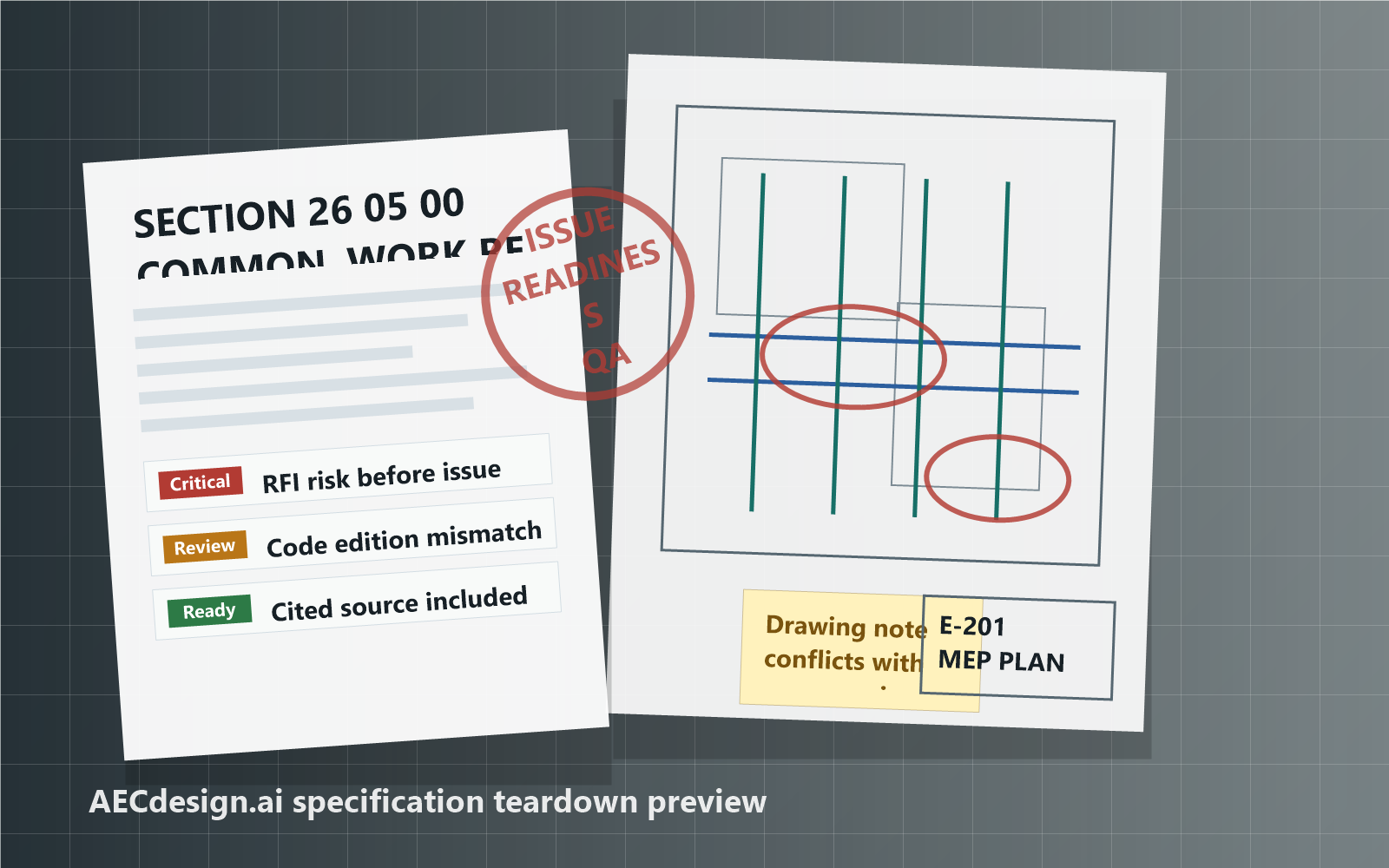
Illustrative AECdesign.ai review output: a marked-up specification section flagged for issue readiness beside an E-201 drawing with redlined conflicts and Critical, Review, and Ready status tags.
Fig. 1 · Illustrative review outputDraft for EOR review
Review Desk
Managed monthly
Setup
One-time, done-for-you
Run by
A practicing PE, on his own projects
What it is

A review tool, not a chatbot.

Principals, project managers, QA reviewers, and production leads can call purpose-built AEC review tools from the Claude Desktop environment they already use.

01

Focused review tools

Each live tool handles a defined review task and returns a draft your team can inspect, revise, and adjudicate.

02

Connected project context

Project setup organizes the folders, source list, current revisions, and citable document references used during a review.

03

Engineering judgment stays human

The licensed engineer of record remains responsible for every substantive result and issued decision.

AEC review tools

A suite of tools for everyday review work.

AECdesign.ai gives your team task-specific tools inside Claude Desktop. Each tool returns a draft or structured setup result for the responsible reviewer to check.

Review tool suite6 live tools
ToolReturnsStatus
Project Setup

Set up project folders, source lists, current revisions, and citable source manifests for grounded reviews.

Live
RFI Response

Draft an RFI response from the project context and source material supplied to the review.

Live
Submittal Review

Draft a structured compliance review from the contract requirements and submitted product information provided for the task.

Live
Plan Review

Draft an issue-readiness review and punch list for an MEP drawing set and project manual before issue.

Live
Field Report Review

Review field-report comments for clarity, citations, photo alignment, and follow-up items before issue.

Live
Spec Writer

Draft or QA-review a CSI 3-part specification section with open items for the engineer of record.

Live
Daily workflow

How the tools work together.

AECdesign.ai is organized around the way project teams already work: establish the project record, freeze the sources, draft with the right production tool, then polish for professional review and issue.

Step01

Project Setup: orient the project before drafting.

Project Setup is the starting point for each project or deliverable. It identifies the phase, jurisdiction, applicable codes, available files, review goals, and the working context needed before a production task begins.

Step02

Source Freeze: lock the source record.

Source Freeze is the source-of-truth gate inside Project Setup. It stages the relevant drawings, specs, reports, RFIs, submittals, and other project documents; resolves document authority; flags conflicts or missing context; and freezes the approved source manifest before drafting begins.

Step03

Production Tools: route the frozen manifest into the right workflow.

After the source manifest is frozen, the team chooses the production tool that matches the deliverable.

Plan Review

Review drawings and specs for coordination issues, missing information, and constructability concerns.

Submittal Review

Compare vendor submittals against contract drawings and specifications.

RFI Response

Draft contract-aware RFI responses from the approved project sources.

Field Report Review

Turn field notes, photos, and markups into clear findings and action items.

Spec Writer

Draft or review specification sections with open items for the engineer of record.

Step04

Engineerizer: prepare the draft for issue.

Engineerizer is the final polish step. It rewrites drafts into a professional engineer-of-record voice, tightens citations, removes filler, and prepares the deliverable for review, revision, and issue by the responsible professional.

Pricing

One platform. Two ways to run it.

Run the review tools yourself with per-user access, or have the Review Desk managed for your firm. Every engagement is quoted in writing before anything is billed.

From $500 / month per firm
Managed Review Desk · month-to-month · cancel anytime
ServicePriceBilling
Managed Review Desk
Seat and access administration, Claude and connector maintenance through version changes, new-tool rollout, a monthly tuning session, new-hire onboarding, and a monthly usage report
From $500/monthPer firm · quoted to firm size · cancel anytime
Tool access
The AEC review tool suite, self-run, for each person who reviews
$50/user/monthPer active tool user
Foundation setup
Install, connect, configure, and coach your engineer through the first real review
From $3,500One-time · quoted in writing
The Desk is a service, not a setup fee

The monthly bill covers keeping the desk running while Claude Desktop, the tool connection, and your staff change — not the installation. Setup is one-time and named one-time.

Platform stands alone

Cancel the Desk anytime and keep platform access. Nothing is held hostage.

Per-firm, not per-seat

The Desk is billed per firm. Platform seats are billed only for the people who run reviews.

Foundation setup

Start with a working review.

One-time, scoped to your users, computers, and environment. Your engineer drives the first real review — we coach. We never review your engineering content.

Request setup
  • Install Claude Desktop
  • Connect the review tools inside Claude Desktop
  • Configure your environment
  • Coach your engineer through one real review — your engineer drives
  • Hand off the working setup

Claude requirement: AECdesign.ai runs inside Claude Desktop under your firm's own Claude agreement — drafting happens in an account your firm controls, not in our app. A compatible Claude plan is purchased separately from Anthropic; under the Review Desk we handle provisioning with you. Claude plan pricing and usage limits are controlled by Anthropic.

Published pricing context

Cost context for AEC review software.

These products are not feature-equivalent. This table helps buyers understand the published cost and scope of different tools used around AEC review work.

ProductPublished priceScope contextOfficial source
AECdesign.ai$50/user/month platform
From $500/month managed Review Desk per firm
Focused AEC review drafting inside Claude Desktop, with an optional managed Review Desk run by a practicing PE.Pricing above
Part3 Core$150/user/month, billed annually
Published subscriptions start at $9,000/year
Broader construction administration platform.Part3 pricing
Bluebeam Max$590/user/year introductory priceBroader PDF, markup, drawing, and collaboration software.Bluebeam pricing

Competitor prices checked June 6, 2026. Published prices, terms, and introductory offers can change; confirm them with each provider. AECdesign.ai requires a separately purchased compatible Claude account. The products above differ in scope and are not presented as direct feature equivalents.

Example output shape

Structured for engineering review.

This generic example shows how a review can be framed without suggesting that the tool made a final engineering determination.

SUBMITTAL REVIEW / illustrative draft
Draft · for EOR review
Status
Draft finding: apparent noncompliance.
Observation
The submitted information appears inconsistent with a requirement provided for the review.
Source
Citations where available.
Next action
The EOR adjudicates the finding and determines the issued response.
Fit

When AECdesign.ai is the right tool.

Use it where a project team needs a better draft review workflow, not where software is being asked to make the final professional decision.

USE

Good fit

A&E teams using Claude Desktop for project setup, RFI response drafting, submittal review, plan review, field-report review, and specification work.

WHY

What it helps with

Organizing project context, comparing submitted information to approved sources, keeping citations visible where available, and preparing a draft your reviewer can work from.

NOT

What it is not

Not a seal, approval, rejection, engineering determination, project-management platform, PDF markup system, or replacement for the licensed engineer of record.

New to AI?

Start with the basics.

You do not need to be an AI expert to use AECdesign.ai. These answers explain the terms, requirements, and limits in plain English.

What is artificial intelligence, or AI?

AI is software that can work with language and information. In this workflow, it helps turn project documents and instructions into a structured draft. It can be useful, but it can also misunderstand information or produce an incorrect answer, so a qualified person must review the result.

What is a prompt?

A prompt is simply the instruction you type into Claude Desktop. It can be plain language, such as asking Claude to use the Submittal Review tool for a specific review. You do not need to write code or learn a special command language.

What is Claude Desktop?

Claude Desktop is an application from Anthropic that runs on your Windows or Mac computer. It gives you a place to work with Claude and connect approved external tools. AECdesign.ai is used from inside Claude Desktop.

How do the tools connect to Claude Desktop?

AECdesign.ai is connected during setup so Claude Desktop can call the approved review tools when you ask for a supported task. Most users do not need to manage the technical connection themselves.

Do I install the review tools on every computer?

No. Claude Desktop remains the application your team uses. Setup connects Claude Desktop to the AECdesign.ai review tools, so each approved user can run the tools without a separate local software install.

What is a review tool?

A review tool is built for a specific task. For example, Submittal Review prepares a draft submittal compliance review, while RFI Response prepares a draft RFI response. A focused tool is more reliable than asking a general chatbot an open-ended question.

Is AECdesign.ai another chatbot?

No. Claude provides the conversational interface. AECdesign.ai provides focused AEC review tools that help organize a defined review task and return a draft for your team to evaluate.

What do I need before I can use it?

You need a compatible Claude account, Claude Desktop, active AECdesign.ai tool access, and the project information required for the review you want to run. Claude is purchased separately from Anthropic.

Do I need technical or programming experience?

No programming experience is required for normal use. You should be comfortable opening Claude Desktop, selecting project files, and describing the task you want completed. The separate done-for-you setup service is available if you want help connecting and testing the system.

What do I actually do during a review?

Open Claude Desktop, identify the supported review tool you want to use, provide the project material and instructions for that task, and ask Claude to run the tool. When the draft is ready, the responsible reviewer checks the sources, evaluates each finding, makes revisions, and decides what can be issued.

What can the live tools do today?

The current tool suite supports project setup, RFI response drafting, submittal review, plan review, field-report review, specification writing and QA, and review retrieval for follow-up QA workflows.

Does the tool make final engineering decisions?

No. Every substantive result is a draft. A licensed engineer of record must review, revise, accept, or reject each finding before issue. AECdesign.ai never provides a sealed determination.

Can the AI be wrong?

Yes. AI can miss context, misunderstand a requirement, or produce an incorrect statement. Treat the output as a draft working document, check it against the project requirements, and use professional judgment before relying on it.

What does "Citations where available" mean?

When the review can identify a relevant source in the material provided for the task, it can include that reference with the draft finding. A citation helps the reviewer check the work, but it does not replace reading the source or confirming that the interpretation is correct.

Is a Claude subscription included with tool access?

No. A compatible Claude account is required and is purchased separately from Anthropic. Anthropic controls Claude plan pricing, availability, and usage limits.

Who needs tool access?

Only the people who will run the AECdesign.ai review tools need a seat. Each tool user is $50 per month. The managed Review Desk is billed per firm, not per seat, and can be canceled anytime without losing tool access.

What is the difference between tool access and one-time setup?

Tool access is the monthly subscription that allows your users to run the AEC review tools. One-time setup is a separate paid service for help installing Claude Desktop, connecting the tools, configuring the environment, running a first review, and handing off the working setup.

How is one-time setup priced?

Setup is quoted separately based on the number of users, computers, and the customer environment. Submit the setup form to request a scoped quote. Active tool access is required for the setup engagement.

Can I cancel tool access?

Yes. Tool access is month-to-month and can be canceled at any time.

Required professional review · Notice

The engineer remains in control.

Every substantive result is a draft. A licensed engineer of record must review, revise, accept, or reject each finding before issue. AECdesign.ai never provides a sealed determination.

Built by a licensed PE

Get started

Choose the service you need.

Request the managed Review Desk for your firm, or start with self-serve tool access and a separate one-time setup.

Review Desk & setup requests

Tell us about your environment.

Request the managed Review Desk, a one-time setup, or self-serve access. Pricing is scoped to your users, computers, and environment — you get a written quote before anything is billed.

Every request gets a reply from the engineer who built the tools — not a sales queue.